




15 min read
Build a team hub in Superhuman Docs
Superhuman Docs is your team's single source of truth for everything — from meetings to decisions to roadmaps. Building a team hub can help get your team on the same page.
Despite teams buying a lot of packaged software, the most important work tends to happen in the most flexible surfaces: documents and sheets. Over time, documentation and active work become siloed, and leave teams spending more time trying to find context and data than on work itself. In this guide, you'll learn how to build a team hub that brings your team's work, resources, and collaboration together in one place.

What you’ll get in this guide:
- A single source of truth for your team’s work
- More visibility into projects and processes
- One place for links, resources, and team information

You’ll use:
- Pages
- Tables
- Reactions
- Buttons
Bring your work, and team, into one place with Superhuman Docs.
- Integrate all your tools into one surface. With Superhuman Docs, your PM is no longer juggling links, documents, dashboards, mockups, and more. Instead, they’re just sending a single link.
- Create systems your team can rely on. Superhuman Docs enables your team to design their workflows, instead of conforming to tools that don’t fit.
- Up-level your collaboration. Superhuman Docs drives faster decisions by helping teams structure discussions to focus on the most important questions and gather more actionable feedback.
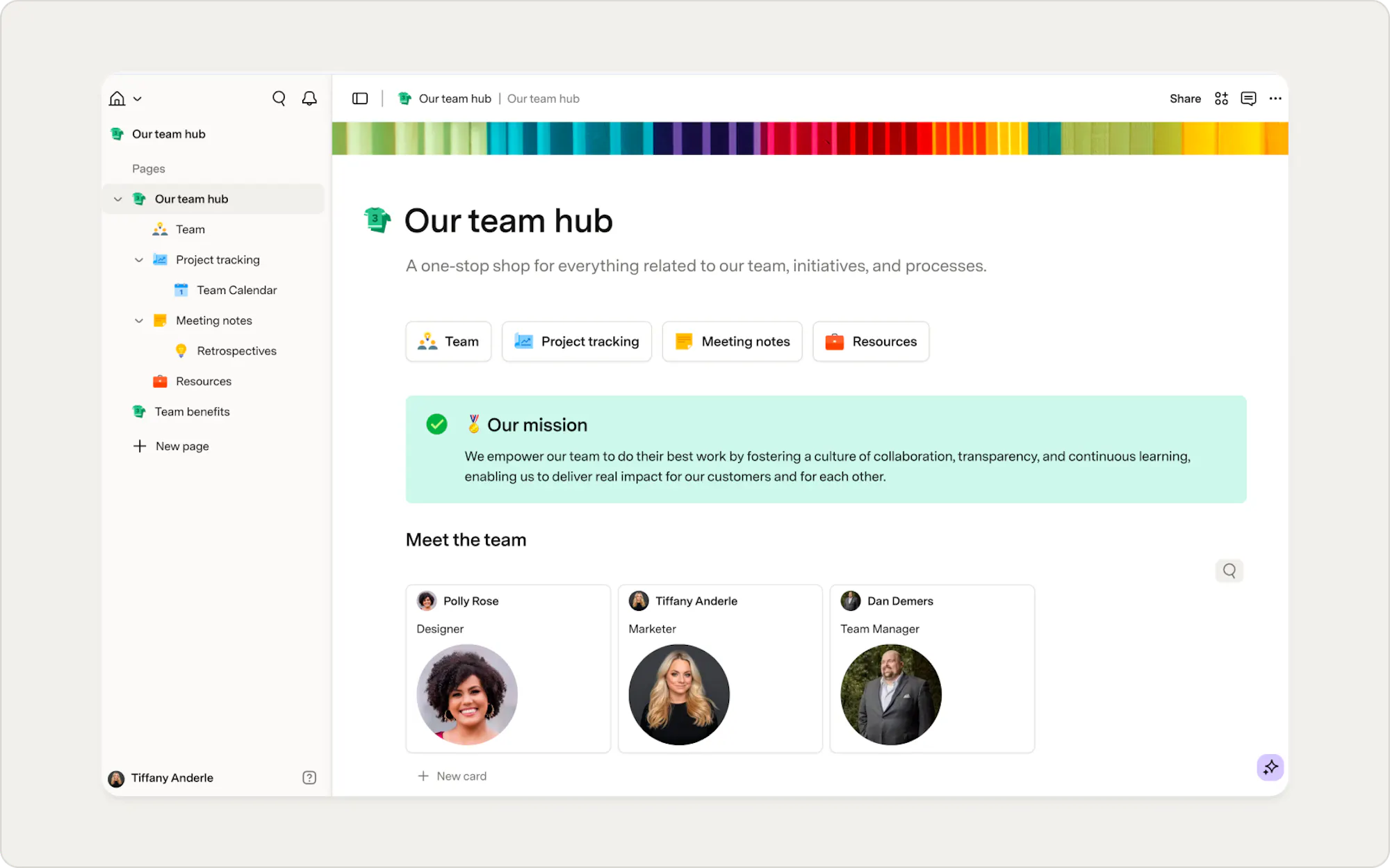
6 steps to setting up your team hub in Superhuman Docs
We’ll show you the basics, and then you can customize with building blocks to fit your team’s needs.1. Create a new doc, and then make a page
You’ll start by creating a new doc and some pages within your doc for each section.- Add a page by clicking + New Page at the bottom of the Page list on the left-hand side.
- Name your page - replace Untitled with the page name of your choice.
- Add a page icon by clicking Add Icon to pick the emoji of your choice.
- Repeat to add as many pages as you need for your team hub!
2. Add your content
Think of each page as a home for a specific part of your team hub. You might have one page for team info, another for project tracking, and another for meetings. You can add content directly in Superhuman Docs by typing, formatting text, dragging in images, or embedding content from other tools.To build content directly in Superhuman Docs:
- You can type directly in the doc like you would in any other document tool.
- Use slash commands like /H1 to add headers and other building blocks.
- Highlight existing text to reformat it.
- Add emojis to make the page feel more engaging.
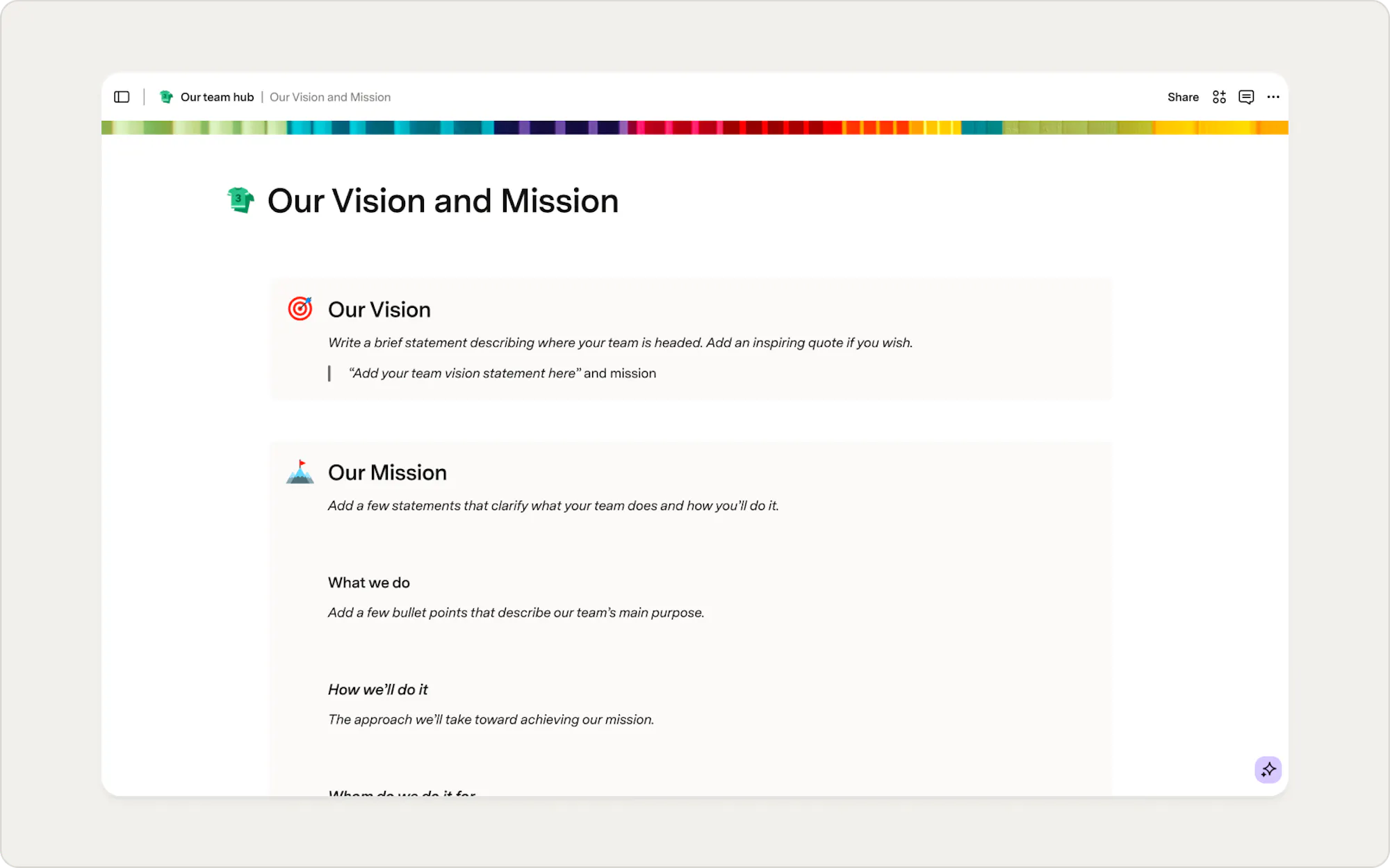

Docs tip
Adding headers of different sizes is a great way to keep content organized in Superhuman Docs.
You can also embed content from other tools, Like Google Docs, Google Slides, Figma, Mode, Miro, and more.
To embed content:
- Type
/embed. - Paste the link into the embed dialog.
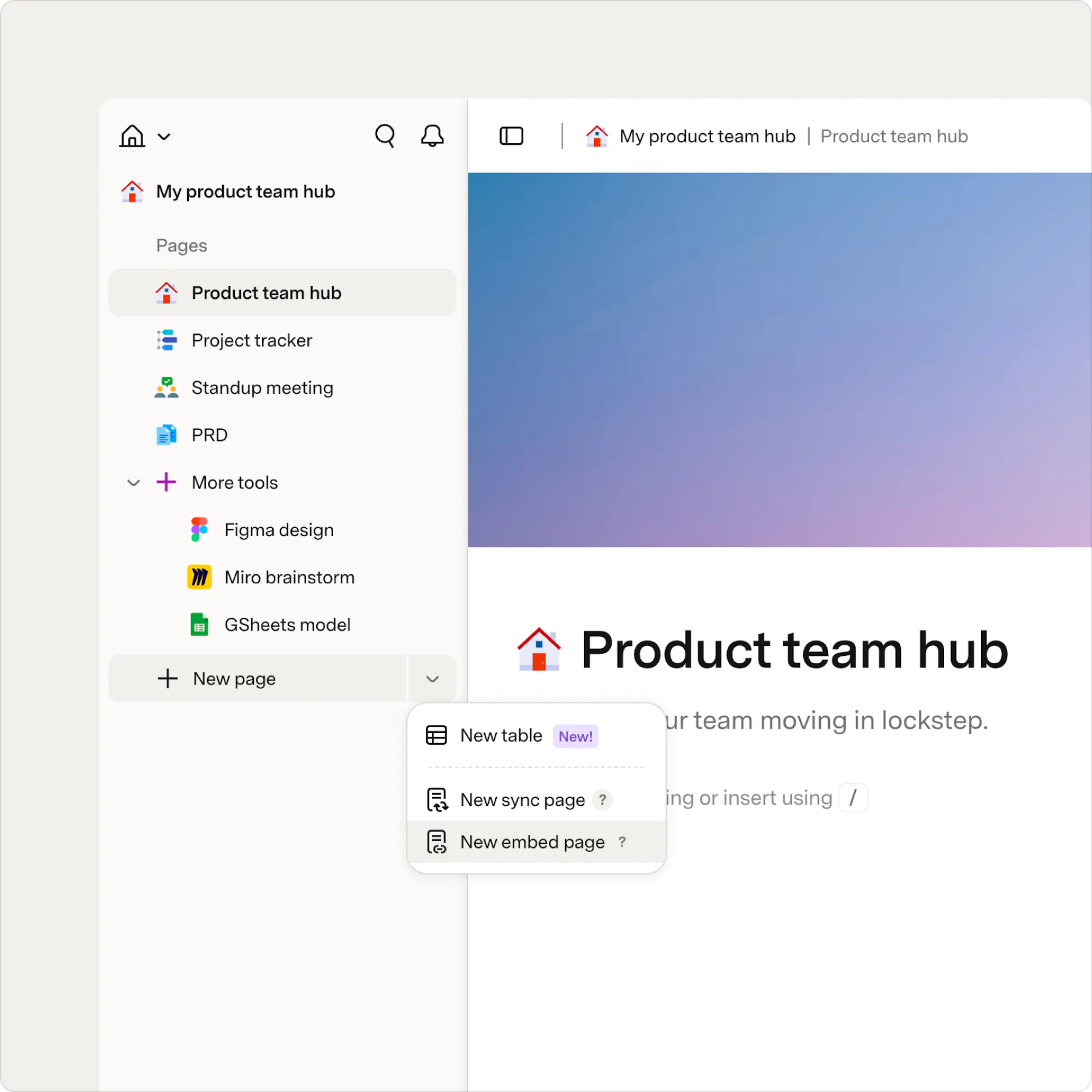
- Or create a full-page embed by clicking the arrow next to New page and selecting New embed page.
3. Create a resource repository
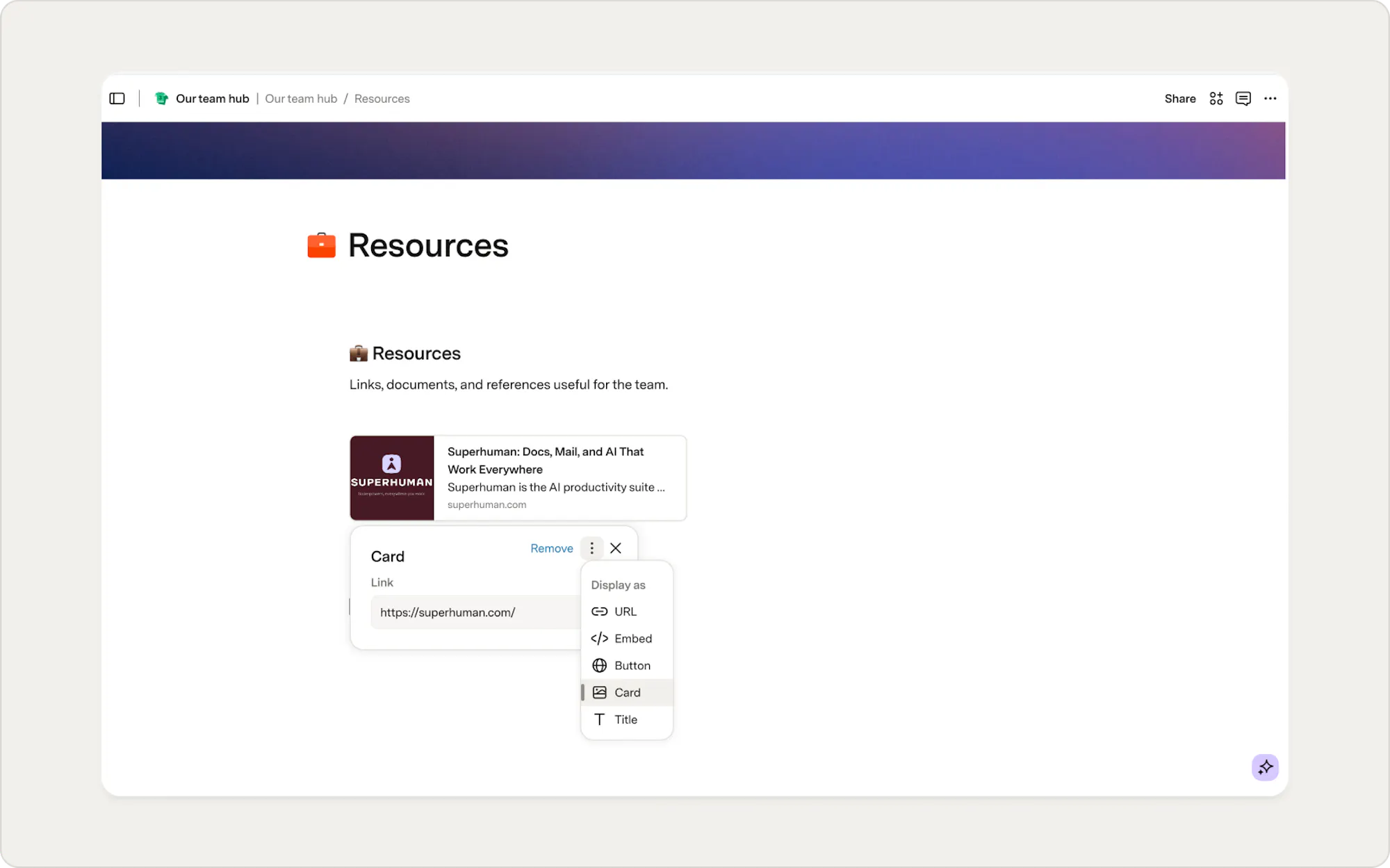
Your team probably has a bunch of different tools and links that you reference in your day-to-day work. In this step, we’ll see how to bring those things into one, easy-to-reference location.Too add a resource:
- Paste a link into your doc.
- Choose to display it as a card.
- Drag cards to reorder them or arrange them side by side.
Docs tip
This is also a great place to embed an employee handbook or other shared reference materials.
4. Add a table
Tables are one of Superhuman Docs' core building blocks and are ideal for organizing structured information. Add a table to your team hub to organize information your team references regularly. Depending on your team's needs, this might be:- A team directory
- Active projects
- Team resources
- Goals and OKRs
- Meeting schedule
- Feature requests
To add a new table
- Create a new page or navigate to an existing page.
- Type /table. Give your table a descriptive name.
- Add the columns that make sense for your workflow.
Docs tip
Add button columns to create quick actions, like opening a project brief, team profile, or external resource.
5. Build a table of your team's active projects
It’s likely that you’ll want to bring tables of data into your team hub for something like project tracking. Superhuman Docs makes it possible to put these tables of data right alongside your text and other data types. To create a project table:- Add a new page for projects.
- Type /table to insert a table.
- Add the columns you need to track your projects.
- Update column types as needed.
6. Collaborate in your team hub with comments
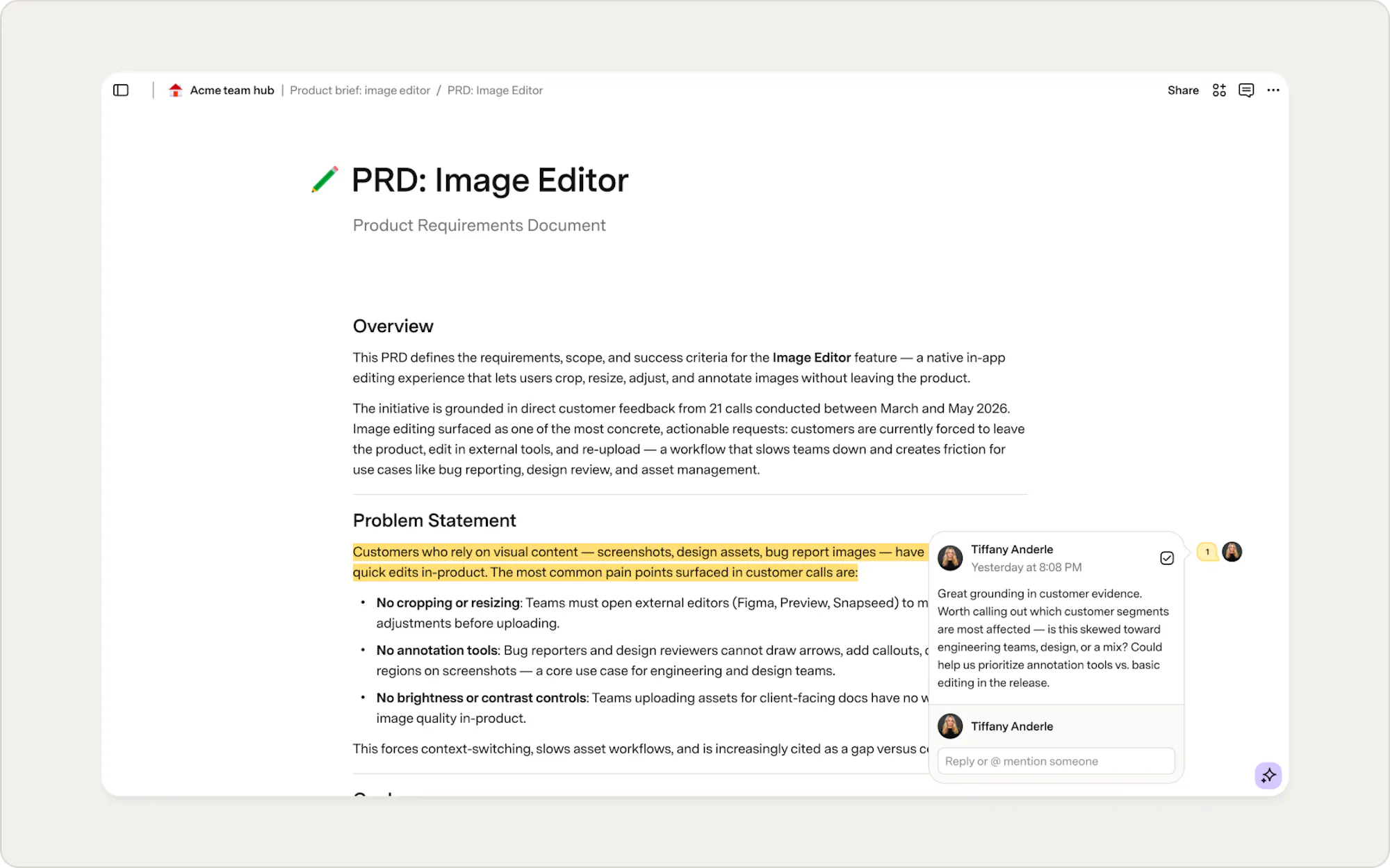
Once your hub is in place, invite your team to collaborate. Comments are an easy way to collect feedback and keep conversations connected to the work. You can comment on text, images, and rows in a table.To add a comment:
- Highlight text or select a cell.
- Press + to open the comment dialog.
- Leave your comment and send it.
What's next?
Your team hub is ready for the basics, but it can grow with your team. You can add pages for meeting notes, time off requests, onboarding, or anything else your team needs. You can also start from a template in the gallery if you want a head start.Was this helpful?
YesNo