




7 min read
Using the Airtable Pack
Sync Airtable to Superhuman Docs for smarter, streamlined workflows.

What's covered:
- How to set up the Airtable Pack
- Why to use the Pack
- How to connect tables with Airtable data
- How to enhance your workflows via the Pack
The Airtable Pack increases flexibility inside Superhuman Docs
These features help teams centralize documentation, action, and data in one place, a Superhuman Doc.Tables live inside docs:
Add context to your tables or the rest of your doc with meeting notes, PRDs, or decisions right alongside your data. No switching between tabs or tools.Custom interfaces:
Use buttons, filters, and views to turn tables into trackers, approval workflows, or dashboards—no third-party add-ons required.Real collaboration:
Comment on rows, assign tasks using people columns, and restrict access down to a row level with page and table locking.Scalable logic:
Build formulas that reference full rows, connect tables that are related, and power automations with built-in actions.Set up the Airtable Pack
Install the Pack
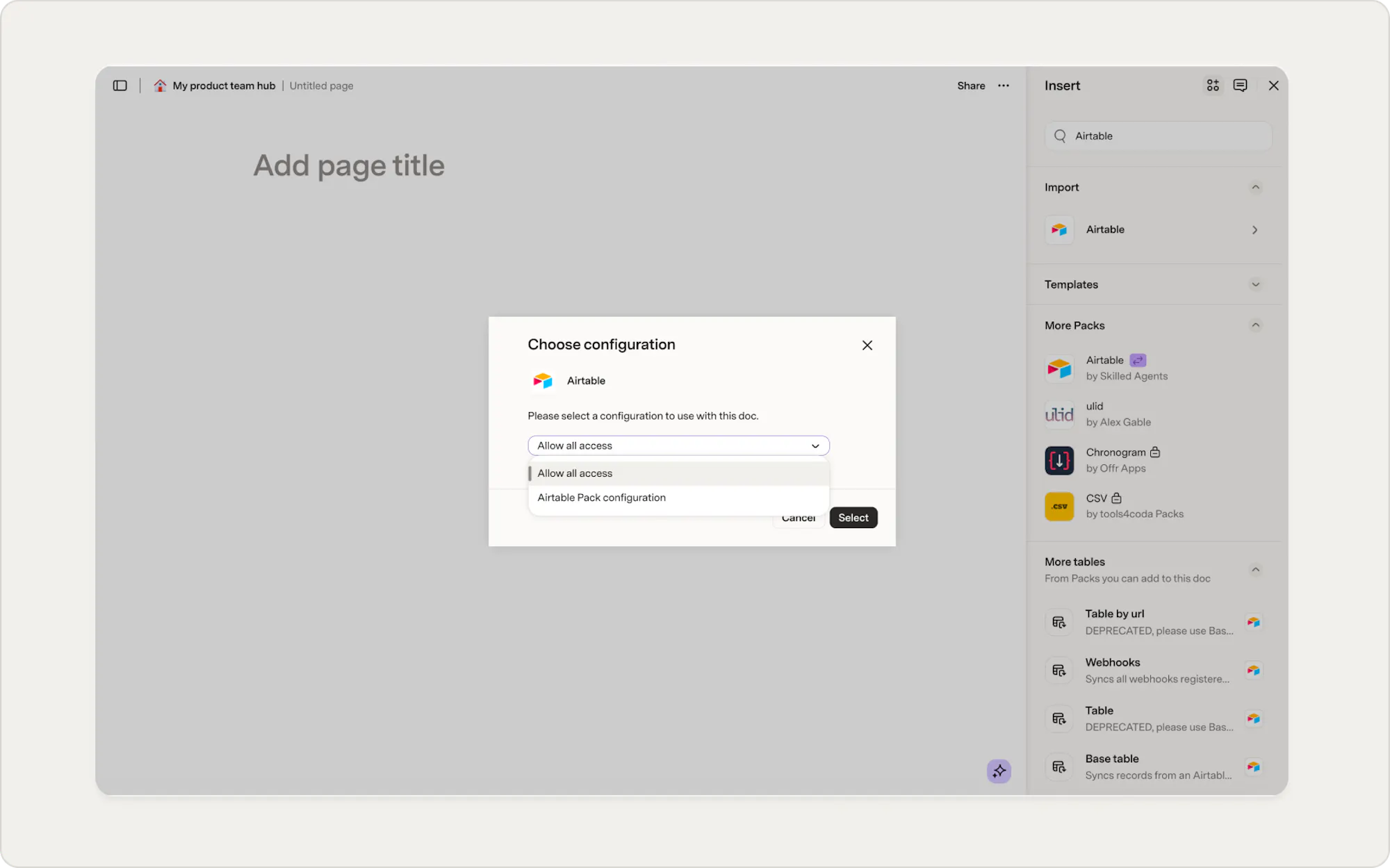
- In your Superhuman Doc, click Insert in the upper‑right.
- Select Packs, search for “Airtable”, and choose the Airtable Pack.
- Click Select Configuration to install it.
- Choose your configuration and click Select.
Add your first Airtable table
- Use drag-and-drop or select the base or webhook you want to sync.
- Authorize the Pack via Skilled Agents in Airtable. Choose access scopes, then click Grant access.
- Configure how often data should refresh and whether you can write back results from Superhuman Docs to Airtable.
- To add more Airtable accounts, open the account dropdown and click Set up another account.
Enable two-way sync (optional)
You can send edits from Superhuman Docs back to Airtable—either immediately or via a button. This is ideal for teams working in both tools who need to keep data aligned.Why do it in docs?
You can do everything you were doing in Airtable in Superhuman Docs tables, but if you have teams or colleagues still using Airtable, pull in those bases right into Superhuman Docs and work where you want to work. You can even reduce Airtable licenses by letting users view and update synced data directly in Superhuman Docs. Continue working seamlessly on the projects you were in Airtable, but now with the additional powers of Superhuman Docs.Consider these table enhancements:
- Add Docs-native columns like canvas or people to extend imported tables.
- Create relation columns to link Airtable data with other tables in your doc.
- Use comment threads directly on rows and tables.
Normalize inconsistent inputs
For example, if sales region names from your Airtable base vary (“East Coast”, “East_Coast”, “east coast”), in Superhuman Docs you can:- Use Docs AI and ask it to clean up the tags for you.
- Add an AI column and ask it to do the work for you.
- Use formulas like
Proper()orRegexReplace()to clean text (e.g., normalize “East Coast,” “East_Coast,” and “east coast”) - Create a new column such as Clean Region Name to house standardized values.
Custom interfaces and dashboards without a designer
Use buttons, filters, and conditional formats to give your team clarity and control—no additional tools required.- Use buttons to automate actions like changing status or syncing rows.
- Add interactive filters so viewers only see what they need
- Build connected hubs for ops, product, or finance teams
Example dashboards

Resource Scheduling Board
Combine hours, capacity, and availability; highlight scheduling conflicts or idle time.

Team Performance Dashboard
Filter by region or product line, show KPIs (e.g., number of high‑priority tickets resolved).
Now what?
Connecting Airtable is just the start. Once your data is syncing, you can layer in everything Superhuman Docs has to offer, like formulas, automations, AI columns, and more. Here are a few good next steps:- Try syncing a key table from your Airtable base and enriching it with a people or canvas column.
- Get calculated values in your docs without writing formulas — put your synced Airtable data to work with the Calculation builder
- New table or new view? — understand when to create a connected view of your Airtable data instead of duplicating it
Was this helpful?
YesNo